01. Wireframes
What is a wireframe?
Planning a website before you start touching any code
A wireframe is a simplified drawing of a website that shows structure, layout, and navigation , without worrying about visual style. This is basically, a map, or structure for how your website will function.
Wireframes usually:
- use boxes instead of images
- use lines instead of typography
- use labels like “image,” “text,” “button,” or “nav”
- ignore color, fonts, and polish on purpose
This is separate from:
- moodboards (which you did)
- finished mockups
- a zone for final typography or identity systems
Why is a wireframe?
Websites are not simply images, they are systems of screens that are connected to one another.
Before you write HTML or CSS, you need to understand:
- how many pages there might be
- how a user or viewer moves between them
- what information appears first, second, or only sometimes
- what changes and what stays consistent
For this project, wireframes help you:
- translate an idea or experience into a navigable structure
- avoid building yourself into a technical corner
- explain your thinking clearly to someone else (like me, a fellow student, or yourself in several weeks)
- separate conceptual decisions from execution.
Types of wireframes you’ll make for this project
You will likely make two kinds of wireframes.
1. Site map / page flow
This shows how pages connect
It answers questions like:
- How many pages does this site have?
- Is this a linear experience or branching?
- Can users go back, or do they get trapped?
- Is this one long scrolling page, or multiple distinct pages?
This can look like:
- boxes connected by arrows
- a flowchart
- a diagram drawn on paper
- a screenshot of a whiteboard sketch
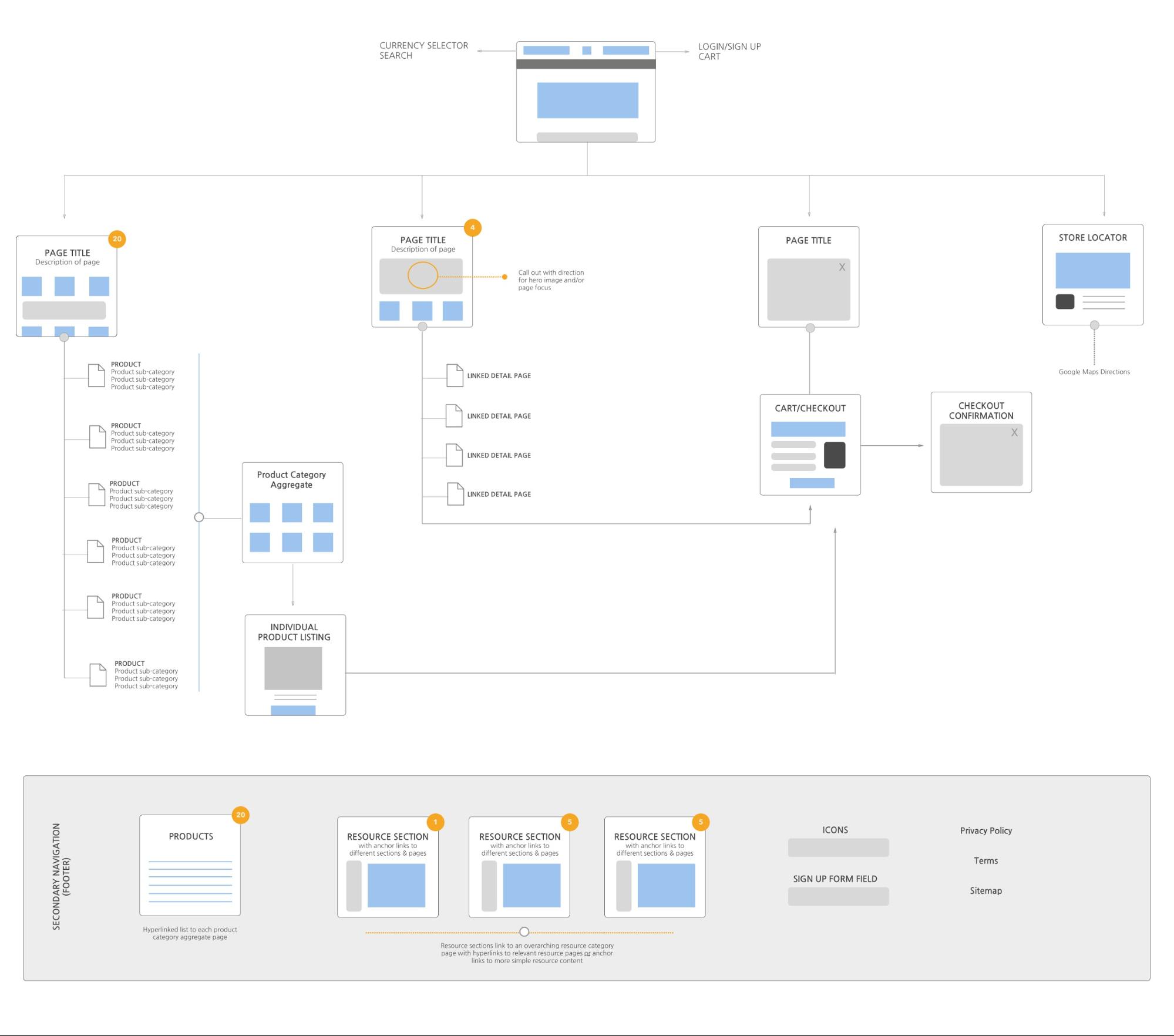
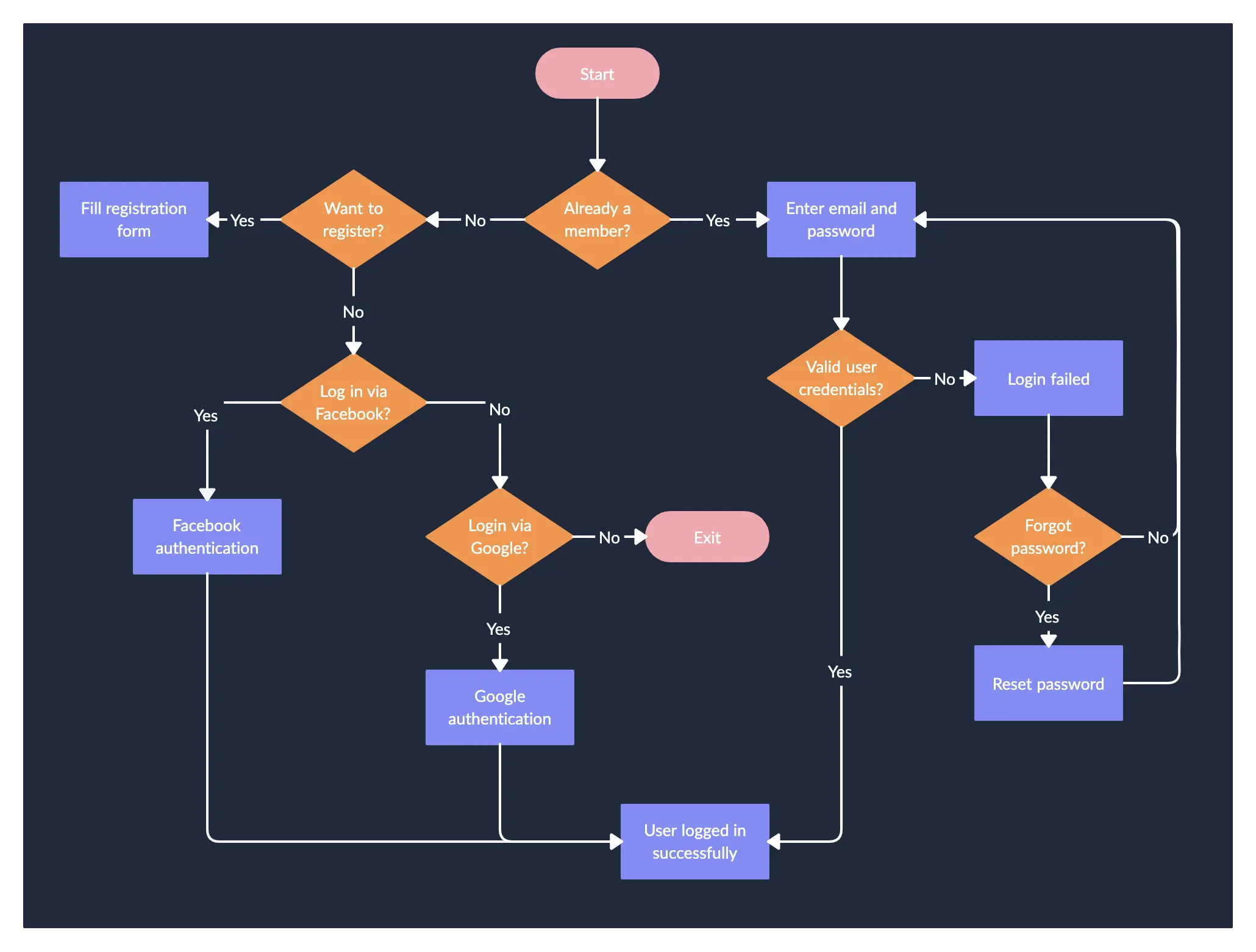
For Project 01 → Remapping, this is especially important if:
- your site has a story or journey
- time, memory, or sequence matters
- pages "unlock" or change meaning based on interaction
2. Page-level wireframes
These show what’s on each page and where it lives .
They answer questions like:
- Where does navigation live (if it exists at all)?
- What is the primary thing the user sees first?
- What scrolls, and what stays fixed?
- What changes between pages, and what stays consistent?
Typical elements you might draw:
- header
- navigation
- content area
- image / video
- interactive element
- footer (or intentional lack of one)
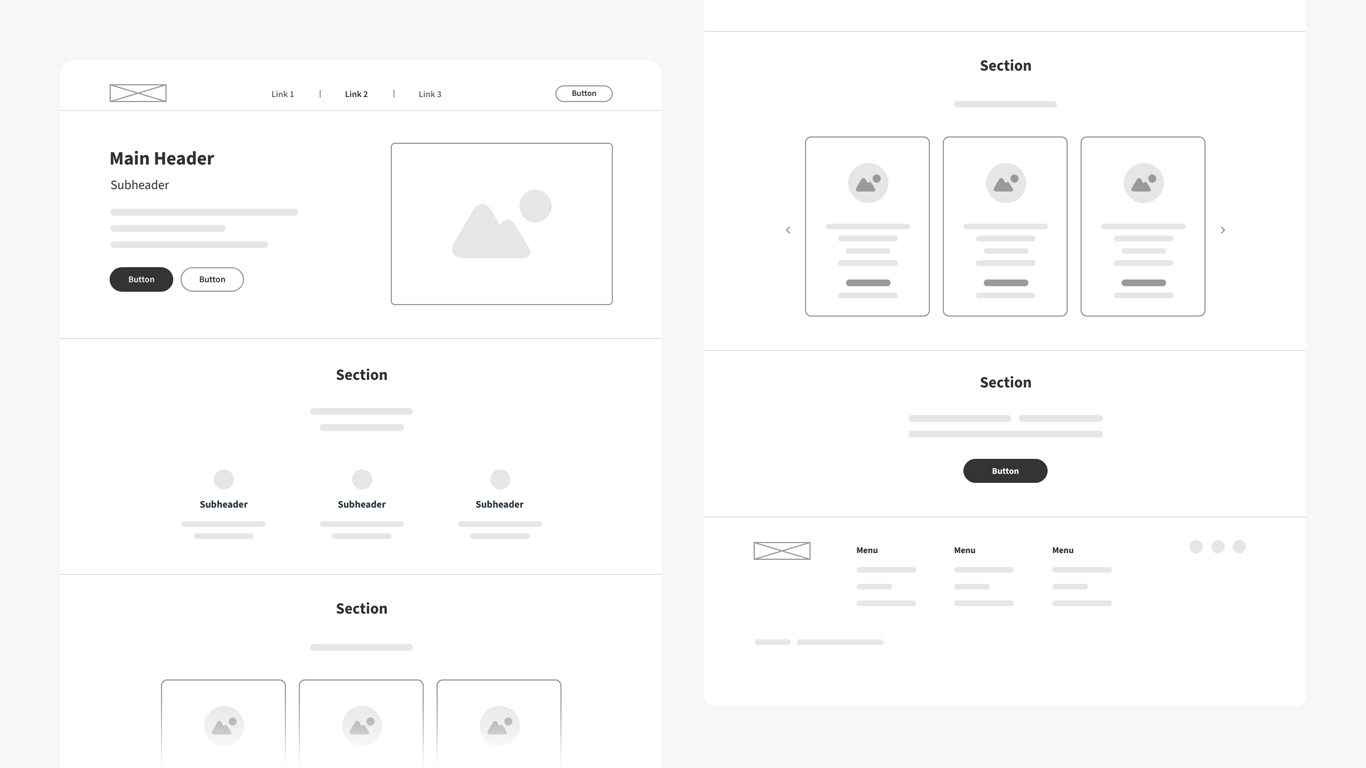
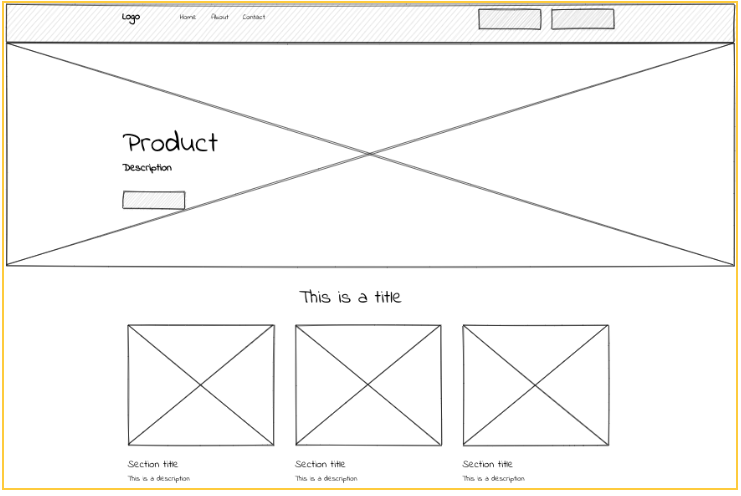
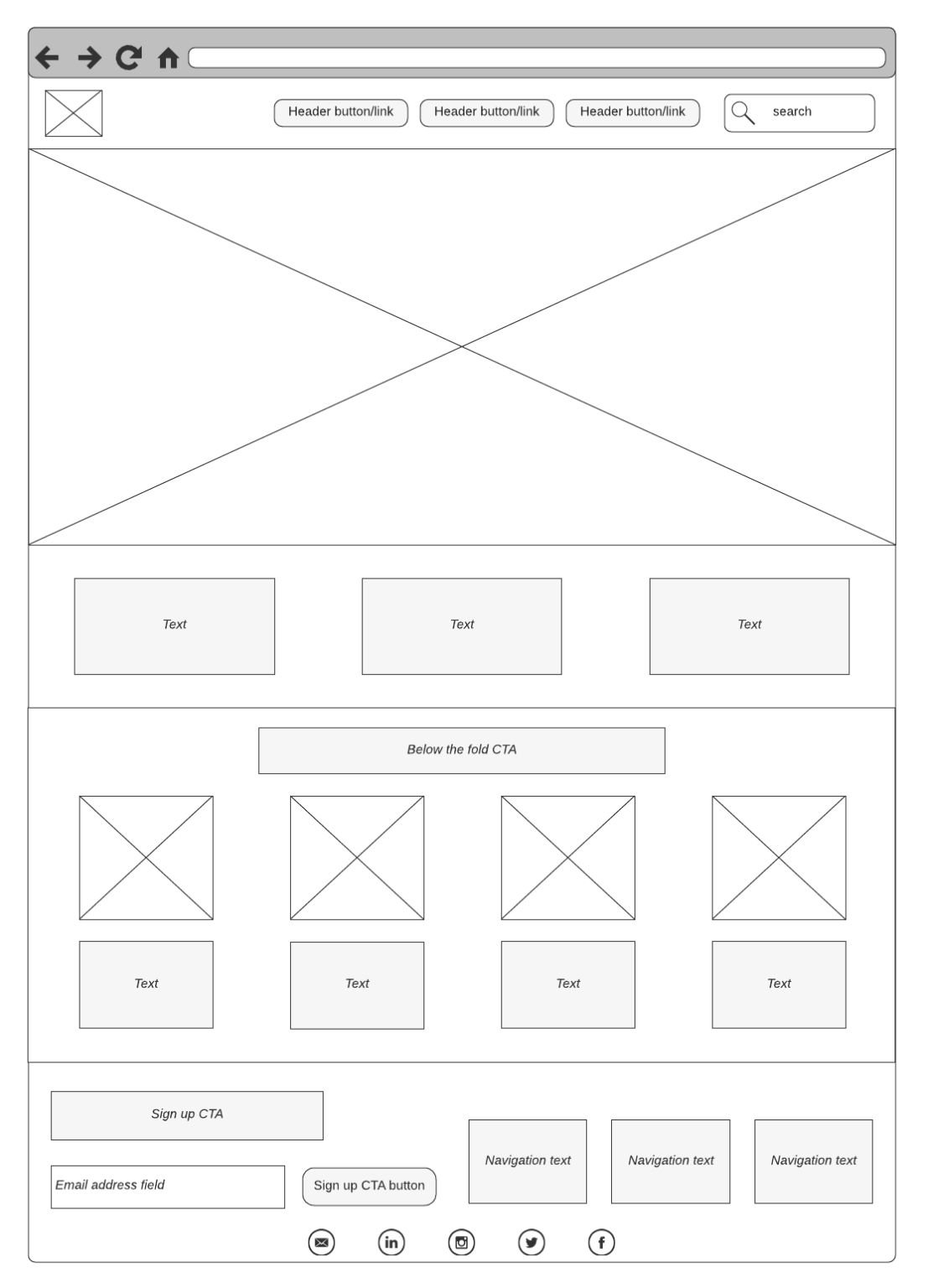
These can be:
- hand-drawn on paper
- drawn on a tablet
- made in Illustrator or other digital means
- messy, revised, crossed out, and redrawn
How detailed should your wireframes be?
More detailed than a doodle, less detailed than a design.
You should be able to:
- explain your site to someone without opening the browser
- point to a box and say “this is where X happens”
- describe how a user moves through the site step by step
You do not need:
- exact pixel measurements
- real copy, text, or writing yet
- final imagery
- responsiveness (unless you want or need this)
But you do need:
- intentional structure
- legible labels/notes
- residue of your thinking process
Wireframes and “weird” websites
Wireframes are especially important for non-traditional sites. If your project involves:
- dreams
- disorientation
- memory
- ARGs
- hidden interactions
- non-linear storytelling
- confusion as a designed effect
Your wireframes should still explain:
- what the system is doing
- what the user can do
- where uncertainty is intentional vs accidental
You can (and should) annotate your wireframes:
- “this page feels repetitive on purpose”
- “navigation disappears here”
- “user may feel lost at this moment”
- “this interaction is meant to be unsettling”
Ambiguity is allowed. Unintentional confusion is not.
Wireframes as translation
One of the core goals of this project is understanding the process:
idea → structure → code → experience
Wireframes sit exactly in the middle of that chain.
They are:
- the bridge between imagination and implementation
- the place where constraints become visible
- the moment where “cool idea” becomes “possible website”
Your final site does not need to match your wireframes perfectly.
But I should be able to see:
- how the wireframes informed your decisions
- where things changed (and why)
- that you didn’t just start coding blindly